How do I change my training plan?
Sometimes your cycling goals evolve, your schedule changes, or you're ready to tackle a completely new challenge. When that happens, you can easily swap out your current training plan for a fresh one…

Sometimes your cycling goals evolve, your schedule changes, or you're ready to tackle a completely new challenge. When that happens, you can easily swap out your current training plan for a fresh one with different objectives—here's how to make the switch.
Changing to a New Training Plan
If you've got a plan running but want to start fresh with new goals or a different focus, Pedal Pulse makes it simple to create a replacement plan without having to abandon your current progress data.
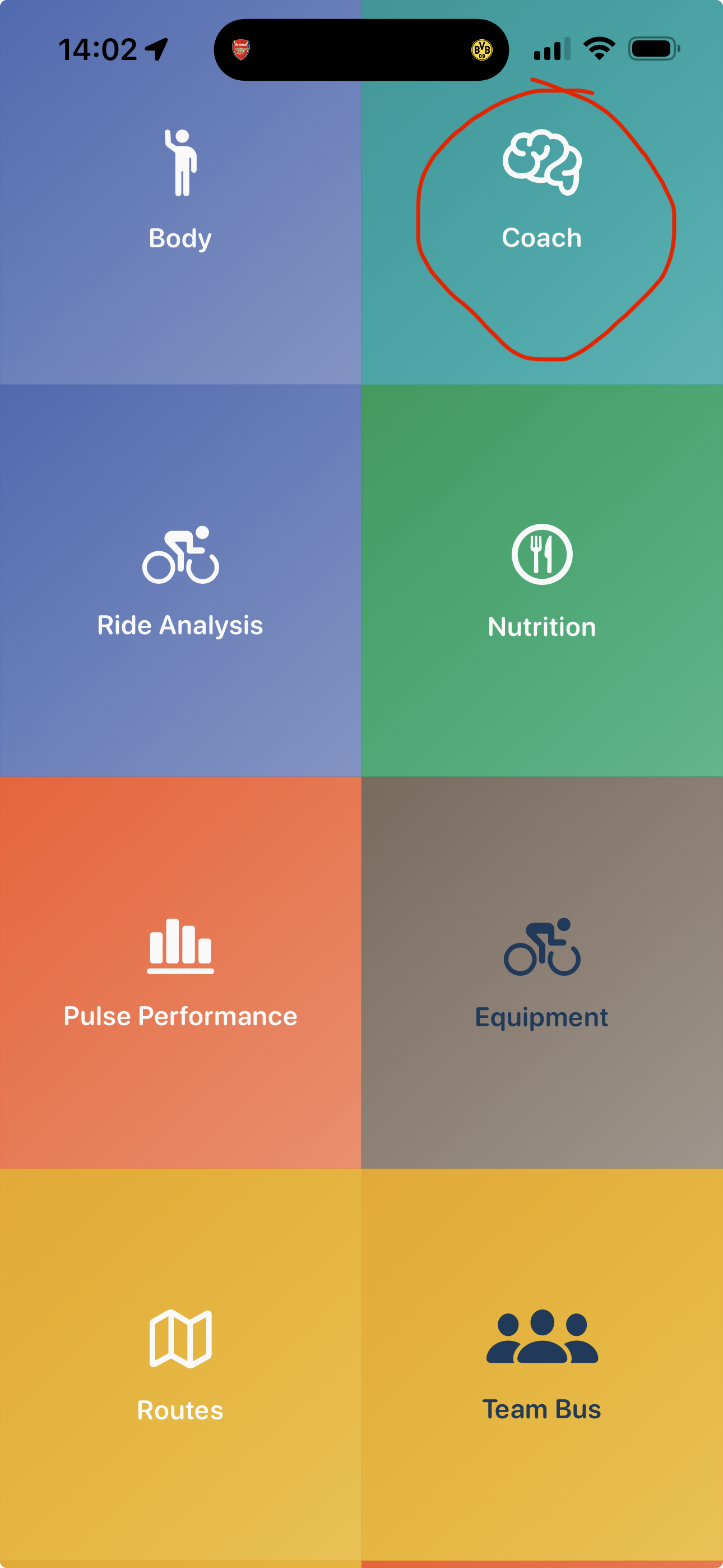
Open the Pedal Pulse app and head to the Coach view from your main navigation.
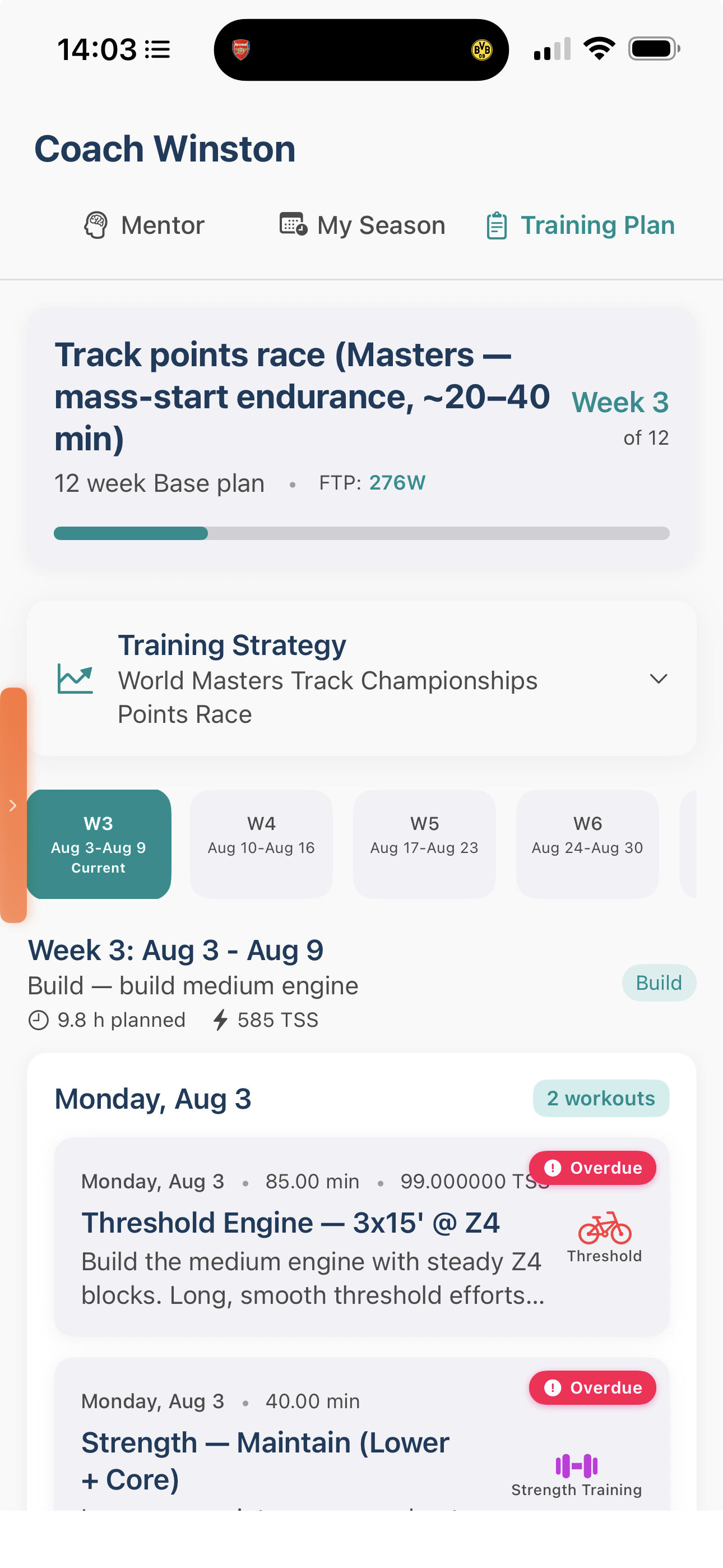
Once you're in the Coach view, tap on the Training Plan tab to see your current plan.
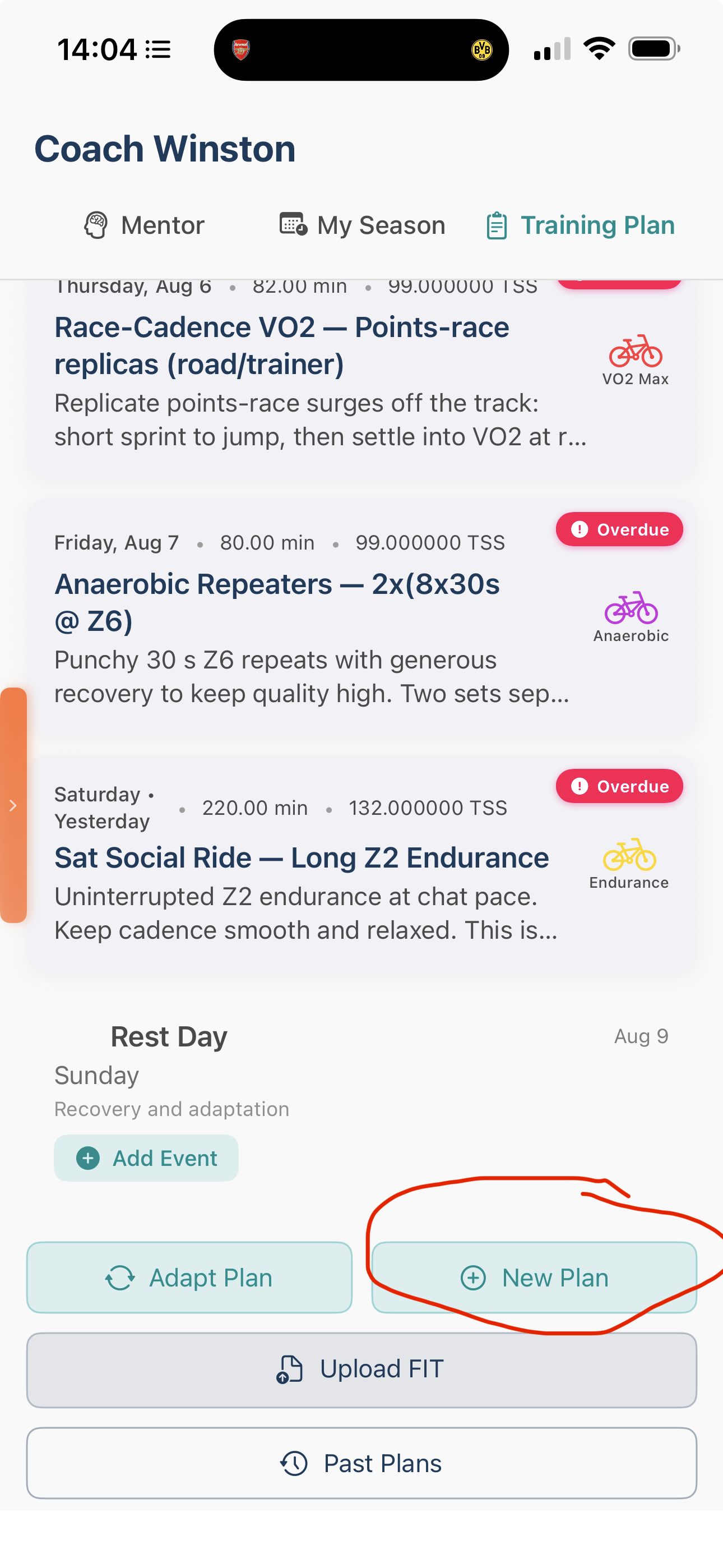
At the bottom of the page, you'll find a "New Plan" button. Tap it to start creating your new training plan.
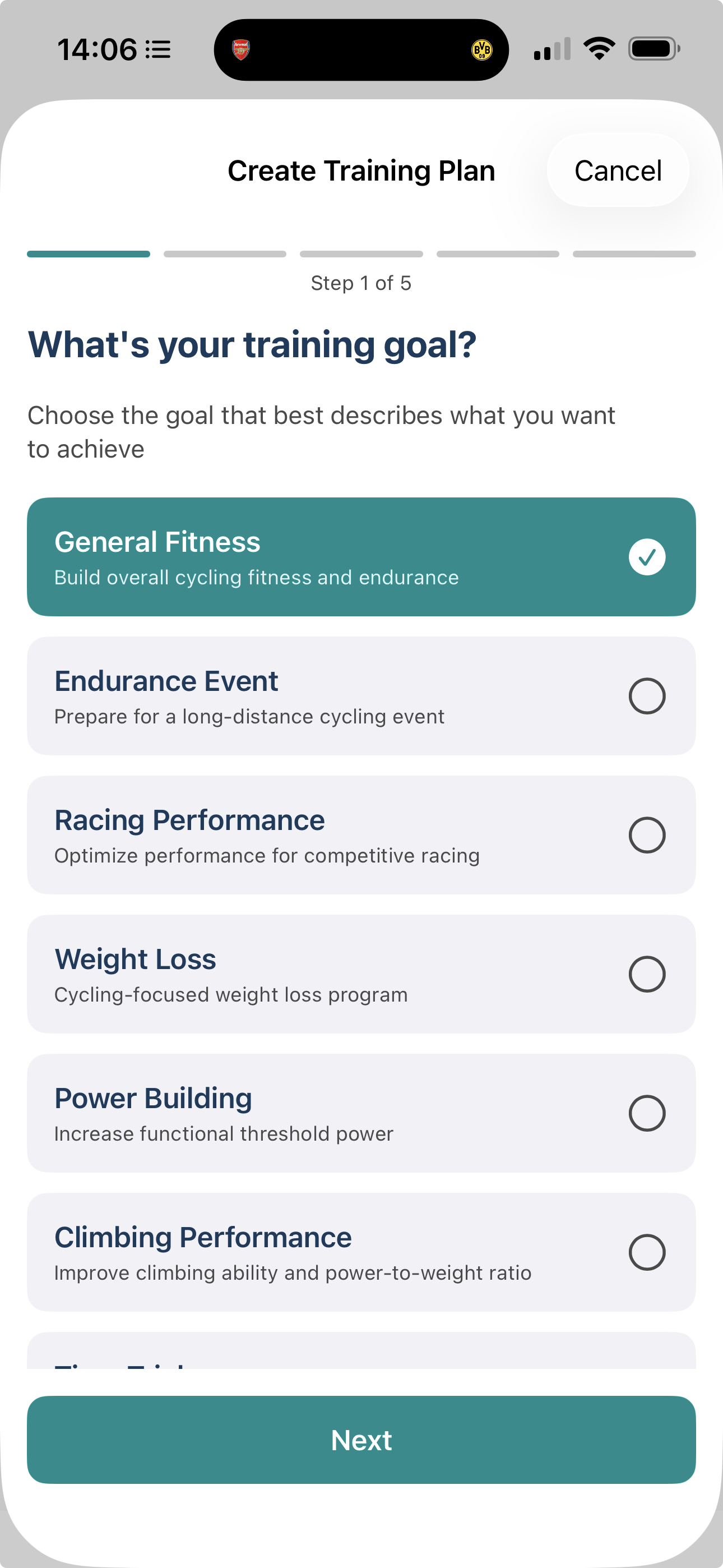
You'll now go through the training plan creation wizard where you can choose new objectives, set different goals, and customize the plan to match your current cycling ambitions.
What Happens Next
Once you've completed the setup wizard, your new training plan will be generated based on your updated objectives. Just like when you created your first plan, the AI will take a few minutes to craft your personalized program, and you'll receive a notification when it's ready to go.
The new plan will use all your existing ride data and fitness metrics to ensure it's perfectly calibrated to your current abilities, so you'll be starting with a plan that knows exactly where you are in your cycling journey.
Need More Help?
If this is your first time creating a training plan, or you want a detailed walkthrough of the creation wizard, check out our comprehensive guide: How to create a bespoke Training Plan.
When you create a new plan, your previous plan will be replaced. However, all your historical ride data and completed workouts remain safely stored in the app, so you won't lose any of your progress tracking.
How did we do?
How to update your FTP
How to delete a training plan.