Connecting your devices.
Connecting your cycling devices and health apps to Pedal Pulse is the key to unlocking the app's full potential. With your data flowing automatically into the platform, you'll get personalized insigh…

Connecting your cycling devices and health apps to Pedal Pulse is the key to unlocking the app's full potential. With your data flowing automatically into the platform, you'll get personalized insights, tailored training recommendations, and detailed ride analysis that helps you become the best cyclist you can be. Here's how to get everything connected and start maximizing your cycling journey.
Why Connect Your Devices?
Your ride data is the foundation that powers Pedal Pulse's smart features. When you connect devices like your Garmin or Wahoo, the app can analyze your performance, track your progress, and provide personalized coaching that adapts to your unique cycling style and goals.
How to Connect Your Devices
Getting your devices connected is straightforward and only takes a few minutes:
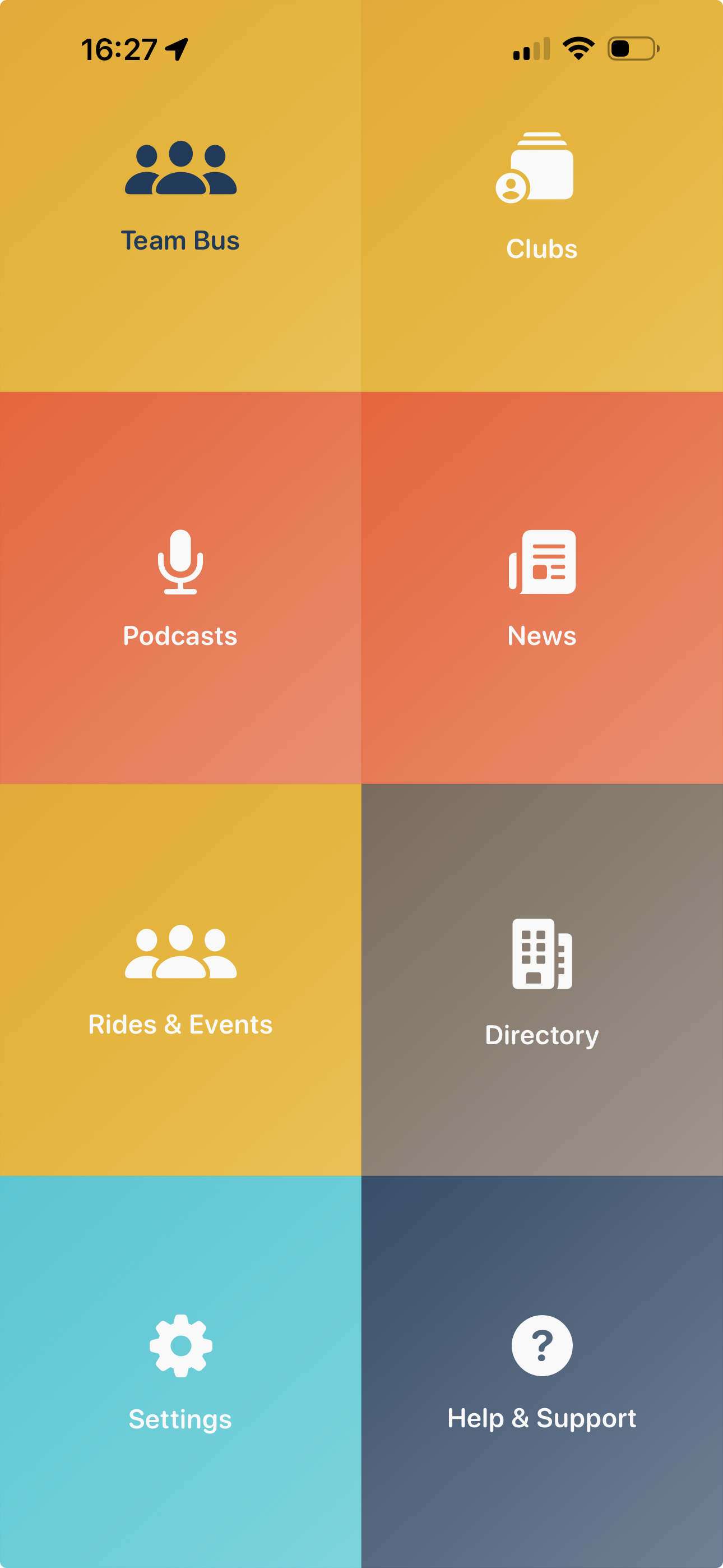
- Open the Pedal Pulse app and navigate to your home page
- Tap the settings grid icon on the home page
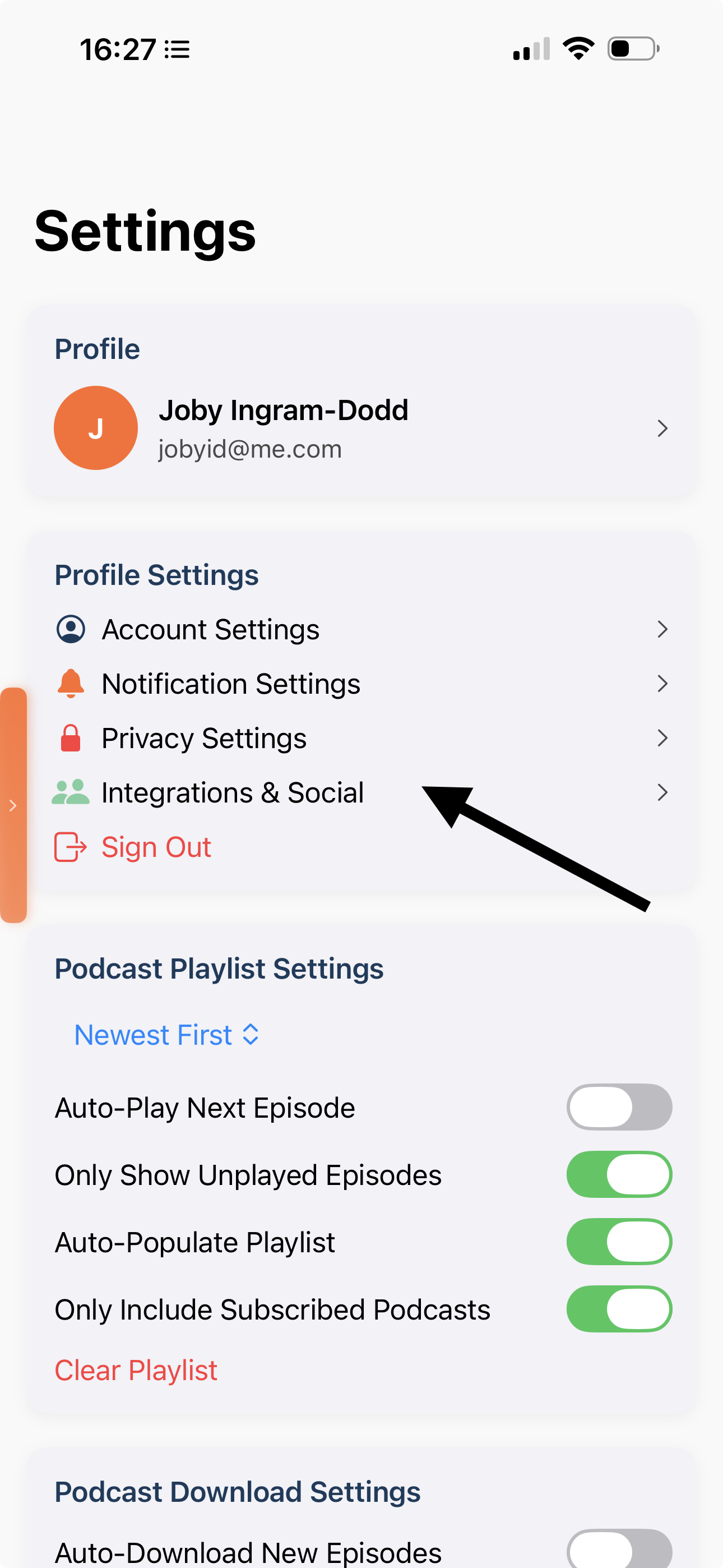
- Select "Connected Devices" from the menu list
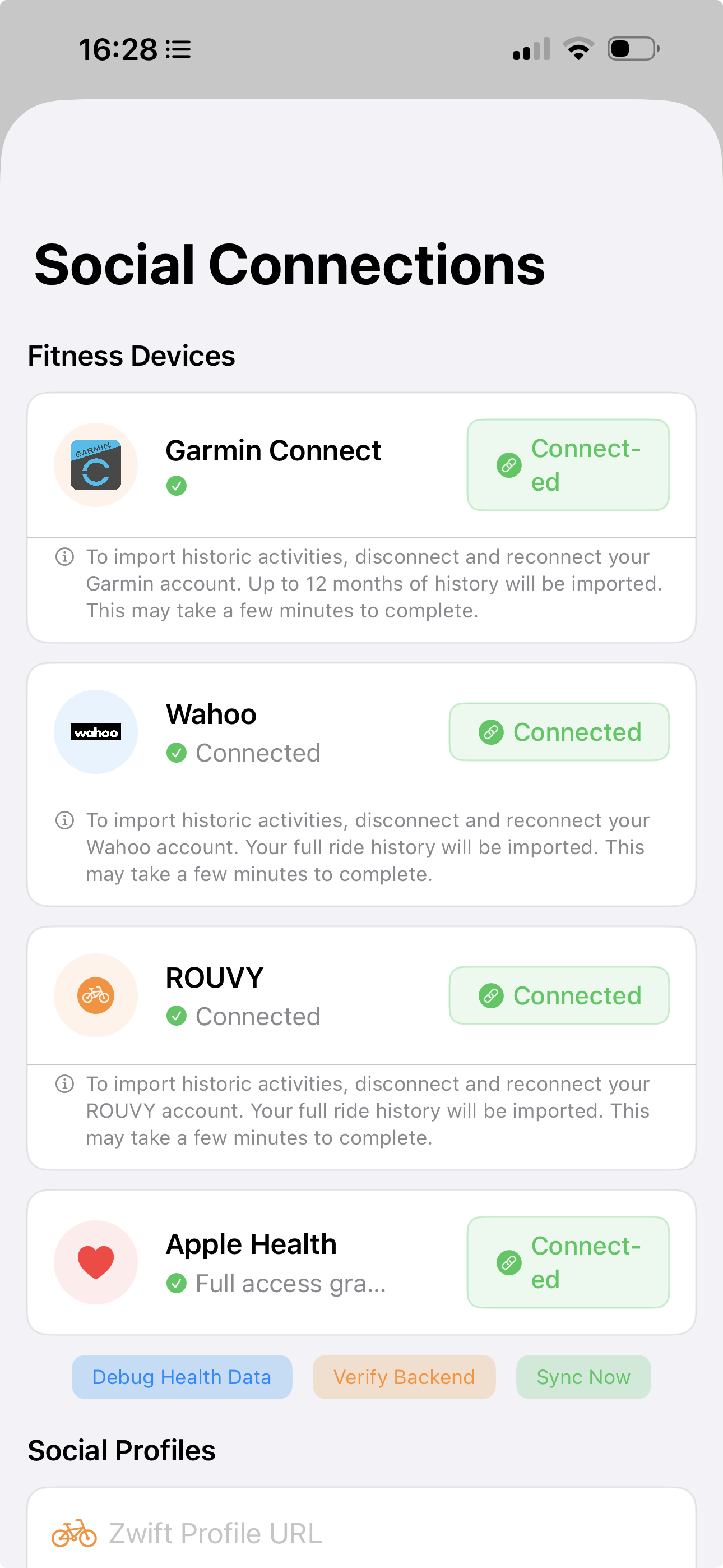
- You'll see all available connections, along with any devices you've already connected
- Tap the "Connect" button next to the device or service you want to link
- Follow the authorization flow to grant Pedal Pulse access to your data
Available Connections
Pedal Pulse supports connections with these popular cycling and health platforms:
- Garmin - Connect your Garmin device for detailed ride metrics
- Wahoo - Sync data from your Wahoo cycling computer
- Rouvy - Import indoor training sessions and virtual rides
- Apple Health - Integrate broader health and fitness data
- Google Health - Connect your Google fitness information
- Zwift - Import all your Zwift rides and send your workouts from your training plan to Zwift
What Happens After Connection
Once you've authorized a connection, your ride data will automatically flow into Pedal Pulse after each cycling session. This means no more manual uploads or data entry—everything syncs seamlessly in the background, so you can focus on riding while Pedal Pulse handles the analysis.
Managing Your Connections
Need to disconnect a device or service? No problem. You can manage all your connections from the same "Integrations and Socials" menu where you set them up. Simply return to this section anytime you want to add new devices or remove existing connections.
With your devices connected, you're ready to experience everything Pedal Pulse has to offer—from AI-powered coaching insights to detailed performance tracking that helps you reach your cycling goals.
The more data sources you connect, the better Pedal Pulse can personalize your experience and provide accurate training recommendations.
For the best experience with features like bespoke training plans, we recommend connecting your primary cycling device before exploring the app's advanced coaching features.
How did we do?
How do I register?
Using My Season in Pedal Pulse